
FleetworthyGO (Drivewyze)
Drivewyze Inc.Maps & Navigation
2.7902.00 Reviews
- Version
- 6.0.2
- Installs
- 500.00K
- Age Rating
- Everyone
Screenshots
Our Review of FleetworthyGO (Drivewyze)
 Analysis by Appyee
I approach truck navigation tools differently from a general driving app: the useful question is not whether a screen can show a route, but whether it can help with the particular decisions a commercial driver faces along that route. Drivewyze is aimed at truckers, with weigh-station bypass notifications and safety alerts at its core. I’d consider it a specialized companion to a truck-appropriate navigation setup, rather than a replacement for every tool in the cab.
What I’d want to know before relying on it
The first thing I’d weigh is how often my regular routes put me near weigh stations and whether a bypass opportunity would make a meaningful difference to my day. A driver who runs familiar long-haul corridors may value timely alerts differently from someone whose work is mostly local. Either way, a bypass notification is conditional: it is not a promise that every station can be skipped, so I would keep following posted signs and official instructions.
I’d also decide whether I want one phone app to handle this part of the workflow or prefer to keep weigh-station information separate from navigation. The app’s focus is narrower than a general maps tool, which can be an advantage when I want a specific alert without treating it as a full route planner. It still makes sense to plan the route with a tool suited to truck dimensions and restrictions, then use this app for the functions it is designed to provide.
Where a focused trucker app can help
Drivewyze is a Maps & Navigation app from Drivewyze Inc. The appeal is practical rather than flashy: it is built around the moments when a trucker needs to know about a weigh station, a possible bypass, or a road-related alert. If I were driving a long route with several station approaches, I would value having those prompts available without having to search for information while moving.
That focus also shapes who is most likely to benefit. An independent driver or fleet driver who regularly travels routes where the service is useful may find it worth testing. A driver who rarely encounters weigh stations, already has a dependable solution for the same alerts, or mainly needs turn-by-turn navigation may get less from it. The right choice depends on the actual route and work pattern, not simply on whether the app sounds useful in general.
Checking the fit before a working trip
I would set up the account and truck details while parked, then review the app before relying on it during a busy run. That is a small but important habit: account setup and vehicle information are easier to check when there is no traffic demanding attention. I’d also make sure the phone is positioned safely and that notifications can be heard or noticed without reaching for the screen.
For a realistic example, imagine starting a long haul with a tight delivery window and several weigh-station approaches along the way. I would enter the trip already knowing that an alert may help me respond to a qualifying bypass, but I would not build the whole schedule around receiving one. If a notification comes, I can follow the applicable instructions; if it does not, the station and road signs remain the guide. That expectation keeps the app useful without turning it into a source of risky assumptions.
There is another practical trade-off: phone-based tools depend on the phone being available and set up correctly. Before leaving, I’d check that the device has enough charge for the journey and that the app is ready to run. I would not try to troubleshoot settings while driving. This is less about a special trick and more about making a navigation aid dependable in the conditions where it matters.
How it differs from general navigation
Compared with a conventional maps app, Drivewyze is more specialized. A general navigation tool is usually the better choice when the main problem is choosing a route or reaching an address; a truck-focused service like this is more relevant when weigh-station information and trucker safety alerts are the priority. I would use them for different jobs rather than assume one can replace the other.
There is also a useful distinction between an app and an in-cab setup that relies on dedicated equipment or a fleet’s existing process. A phone app may be appealing when I want to try a service without adding hardware, but a driver whose company already has a required workflow should check that workflow first. Consistency matters: duplicate alerts or competing instructions can be distracting, and no convenience feature should override official road directions.
As a free download, the app is easy to consider, but some features may involve in-app purchases ranging from $8.99 to $179.99 per item. I would check what is included in the option relevant to my route before treating it as a long-term expense. The price alone does not tell me whether it will pay off; the useful comparison is the cost against how often I can actually use its services and how much value that has for my work.
Who should look elsewhere
I would skip it if I were looking only for ordinary turn-by-turn directions, if my regular driving rarely involves weigh stations, or if I could not safely manage another source of alerts in the cab. It may also be a poor fit for someone who expects every approach to produce a bypass. The app can support a decision, but it cannot make every station, route, or operating situation eligible.
Drivers who already rely on a company-provided system should compare the two before adding another app. The aim is not to collect the most tools; it is to have a clear, reliable process. If a different truck navigation option better handles the routes, vehicle constraints, or workflow that matter to you, that should take priority over a specialized feature you may rarely use.
A closer look at the app in everyday use
Ever find yourself stuck in a long line at a weigh station, just itching to get back on the road? If you’re a trucker, you know the drill. Enter Drivewyze, the app that promises to cut down on those stops and streamline your journey. I’ve given it a whirl, and here’s the lowdown on how it stacks up.
First Impressions and Setup
Setting up Drivewyze is a breeze. After downloading the app, I found myself navigating through a pretty intuitive interface. You just need to create an account, and then it’s all about inputting your truck details. The app is available for both Android and iOS, so you’re covered regardless of the device you’re rocking.
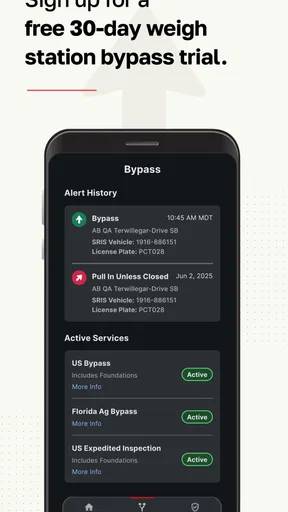
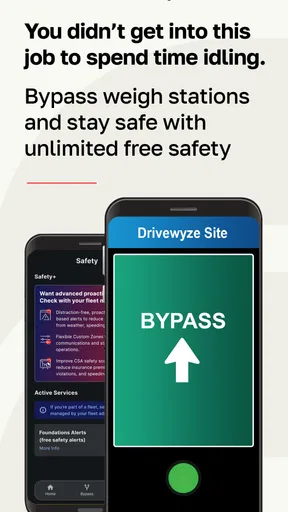
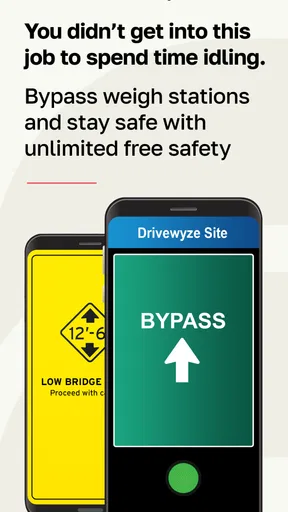
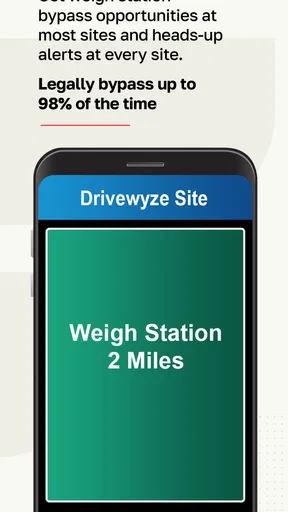
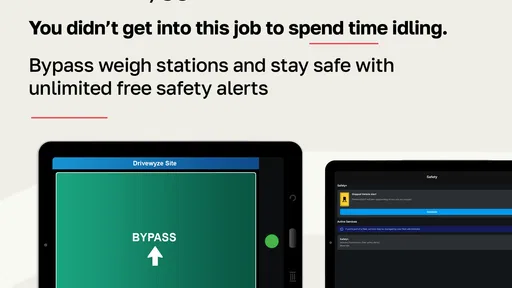
Once you’re all set up, the app starts doing its magic. It uses GPS to detect when you’re approaching a weigh station and sends you a bypass notification if you qualify. No more fiddling with the radio or squinting at road signs—nice and easy.
Driving Experience with Drivewyze
Hitting the road with the app was a game-changer. The app works in the background, so you’re not distracted by constant notifications. I liked that it lets you focus on driving while still keeping you in the loop with weigh stations.
There’s a certain thrill when you get the bypass notification. It feels like you’ve just been given a free pass to keep those wheels rolling. Not only does it save time, but it also helps keep your schedule on track, which is a huge plus in the trucking world where time is money.
Features That Stand Out
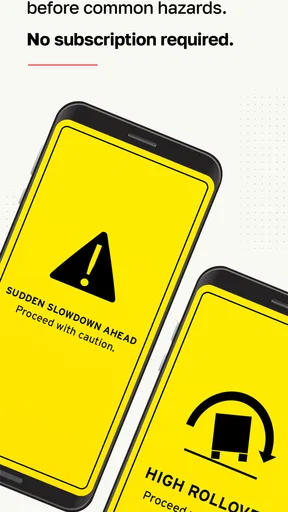
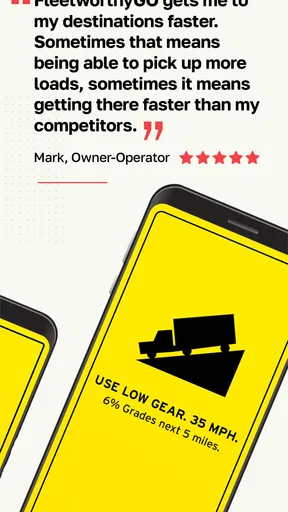
One feature that I found particularly useful was the safety notifications. The app alerts you to upcoming rest areas and other important stops, which is a lifesaver when you’re planning your breaks. It even gives you a heads-up on adverse weather conditions and other road hazards, adding an extra layer of safety to your journey.
The subscription model might deter some, but the cost is reasonable when you consider the time and fuel savings. Plus, there’s a free trial, so you can take it for a spin before committing.
Real-Life Application and Benefits
Now, you might be wondering how often you’ll actually get to bypass weigh stations. In my experience, it varies depending on the route and state regulations. However, Drivewyze claims to cover more weigh stations than any other service in North America. That’s a pretty bold claim, but from my testing, it does seem to have a wide coverage.
Beyond just bypassing weigh stations, the app integrates smoothly with your existing workflow. It doesn’t require additional hardware, which is a bonus. You just need your smartphone or tablet, and you’re good to go.
Final Thoughts
So, is Drivewyze worth it? If you’re a trucker looking to minimize downtime and maximize efficiency, it’s definitely worth considering. The app is user-friendly, reliable, and offers a decent return on investment with the time saved.
While it might not eliminate all stops, it certainly takes a significant chunk out of your waiting time. Plus, the added safety features and convenience of having everything on your phone make it a solid companion on the road.
So, next time you’re gearing up for a long haul, give Drivewyze a try. You might just find yourself wondering how you ever managed without it.
Availability and my final recommendation
The app is free to download, rated for Everyone, and has an average rating of 3.2 from around 1.9 thousand ratings, alongside about 857 written reviews. It has passed 100 thousand installs, first appeared on February 6, 2015, and its current version is 5.1.8. It requires Android 7.0 or later. Those details give a quick sense of its reach and compatibility, but they don’t replace checking whether your own phone and routes suit the way you plan to use it.
My recommendation is to treat it as a route-specific aid, not an automatic time-saving guarantee. If weigh-station approaches are a regular part of your work, the safety prompts and possible bypass notifications make it worth considering. If they are rare, or your existing navigation and company process already cover what you need, the added setup and potential purchase may not earn a place in your routine. I’d start by trying it on a familiar trip, while parked and with expectations grounded in the route, then decide whether it genuinely makes your day easier.
Verdict
Strengths of FleetworthyGO (Drivewyze)
- User-friendly interface for quick navigation.
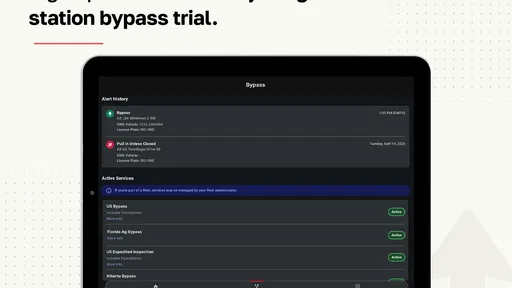
- Real-time updates on weigh station statuses.
- Helps save time with bypass options.
- Supports multiple states and regions.
- Reduces fuel costs through efficient routing.
Limitations of FleetworthyGO (Drivewyze)
- Requires stable internet for real-time data.
- Limited features in free version.
- Can drain battery with continuous use.
- Not compatible with all trucking apps.
- Subscription fees can be costly.
Similar Picks in This Category
View All
Uber - Request a ride
Uber Technologies, Inc.4.7


inDrive. Rides with fair fares
® SUOL INNOVATIONS LTD4.8

Yandex Go: Taxi Food Delivery
Mikromobilnost LLC Belgrade4.8

Bolt: Request a Ride
Bolt Technology4.8

Rapido: Bike-Taxi, Auto & Cabs
Rapido Bike Taxi4.8
Frequently Asked Questions
What is Drivewyze and how does it benefit truckers?
Drivewyze is an app designed to help truckers bypass weigh stations and inspection sites using mobile technology. It saves time and fuel by allowing drivers to continue their route uninterrupted. The app provides real-time notifications and updates, enhancing efficiency and safety on the road, making it a valuable tool for truckers.
Is Drivewyze compatible with all mobile devices?
Drivewyze is compatible with most Android and iOS devices. It requires an active data connection to provide real-time updates and notifications. Users should ensure their device meets the app’s minimum operating system requirements for optimal performance. Always check the app store for the latest compatibility details before downloading.
How secure is the Drivewyze app regarding data privacy?
Drivewyze prioritizes data security and privacy. The app uses encryption to protect user data and complies with industry standards. Personal information is handled carefully, and location data is used strictly for app functionality. Users can review the privacy policy on the app’s website for detailed information on data handling practices.
Does Drivewyze require a subscription, and what are the costs involved?
Drivewyze operates on a subscription model. While the app offers a free trial, continued use requires a paid subscription. Pricing varies based on the subscription plan chosen, and users can select a plan that best suits their needs. Payment details are available on the app’s website, ensuring transparency.
How reliable is the Drivewyze app in terms of performance?
Drivewyze is known for its reliability and accuracy in providing bypass notifications. It uses a robust network to ensure real-time updates and minimal downtime. The app is regularly updated to fix bugs and improve performance. Feedback from users is consistently positive, highlighting its effectiveness on the road.
